
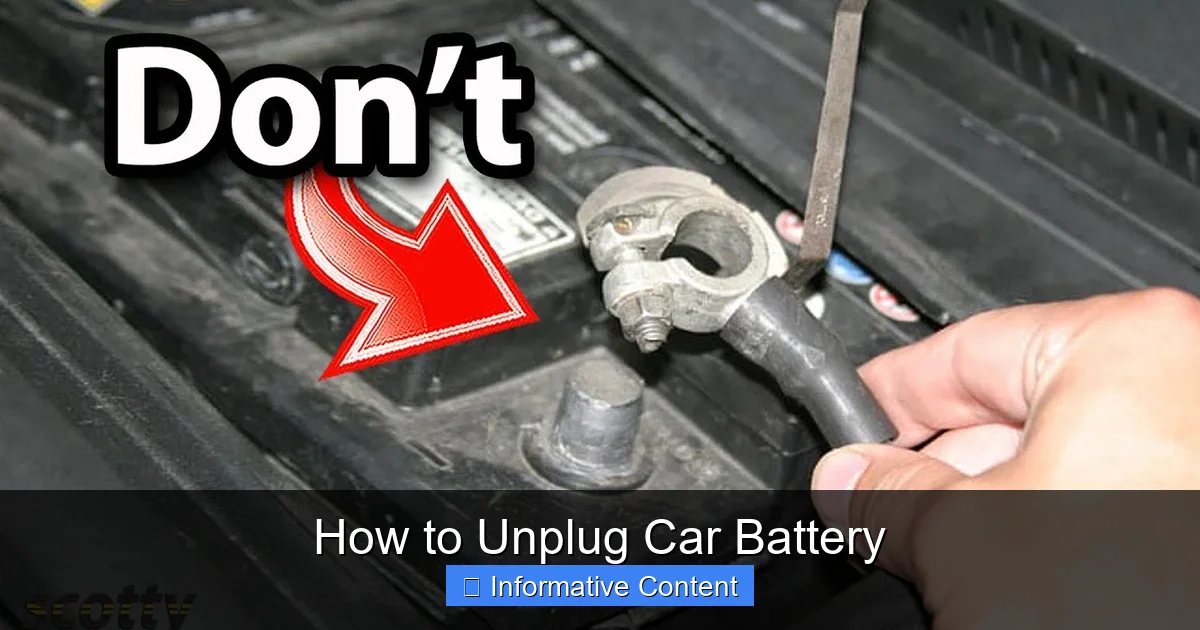
Unplugging your car battery can seem daunting, but it’s a straightforward task when done correctly. This comprehensive guide walks you through the entire process, from essential safety precautions and gathering the right tools to a detailed step-by-step procedure for disconnecting and reconnecting your battery. Following these steps ensures safety, prevents damage, and makes tasks like maintenance or storage much easier.
Hey there, fellow car enthusiast! Have you ever found yourself needing to tackle a car repair, perform some routine maintenance, or store your vehicle for an extended period, only to realize the first step often involves disconnecting the battery? It might seem a little intimidating at first – after all, we’re talking about your car’s main power source! But trust me, learning how to unplug car battery is a fundamental skill that every car owner can master with the right guidance.
Whether you’re dealing with electrical work, replacing a worn-out battery, or simply trying to reset a pesky check engine light, knowing how to safely and correctly unplug car battery is incredibly valuable. It’s not just about getting the job done; it’s about doing it safely to protect both yourself and your vehicle’s delicate electrical systems. A wrong move could lead to sparks, short circuits, or even damage to your car’s computer. But don’t worry, I’m here to walk you through every step, making it as easy and stress-free as possible.
In this comprehensive guide, we’ll cover everything from why you might need to unplug your car battery to the essential safety precautions, the tools you’ll need, and a clear, step-by-step process for both disconnecting and reconnecting it. So, grab a cup of coffee, get comfortable, and let’s demystify how to unplug car battery together. You’ll be a pro in no time!
Key Takeaways
- Safety First: Always prioritize safety. Wear protective gear (gloves, eye protection) and ensure good ventilation to avoid accidents and exposure to battery acid or fumes.
- Negative First, Positive Last: When learning how to unplug car battery, always remove the negative (black) terminal first. When reconnecting, attach the positive (red) terminal first. This sequence minimizes the risk of short circuits.
- Gather the Right Tools: A basic wrench set (usually 10mm or 13mm), a battery terminal brush, and potentially a terminal puller are crucial for a smooth and effective process.
- Understand Your “Why”: Knowing why you need to unplug the car battery (e.g., maintenance, storage, resetting electronics) helps you prepare for specific post-disconnection steps like using a memory saver.
- Clean Connections are Key: Before reconnecting, clean the battery terminals and cable clamps thoroughly with a wire brush to ensure optimal electrical contact and prevent corrosion buildup.
- Secure Everything Tightly: Ensure all connections are tightened securely, but not over-tightened, to prevent loose connections that can lead to power issues or damage.
Quick Answers to Common Questions
What is the very first thing I should do before unplugging my car battery?
Before touching anything, always prioritize safety: put on safety glasses and gloves, and ensure your car’s engine is off, the ignition is turned off, and the key is removed.
Which battery terminal should I disconnect first?
When learning how to unplug car battery, you must always disconnect the negative (-) terminal first. This breaks the ground circuit and significantly reduces the risk of accidental short circuits.
What tools do I absolutely need to unplug car battery?
At a minimum, you’ll need a wrench (usually 10mm or 13mm) to loosen the terminal clamps. A battery terminal brush is also highly recommended for cleaning.
Will unplugging my car battery erase all my car’s settings?
Disconnecting car battery can reset some electronic settings like radio presets, the clock, and potentially the car’s idle learning. A memory saver tool can help retain these settings.
Why is it important to clean battery terminals?
Cleaning battery terminals removes corrosion and dirt, which can impede electrical flow. Clean connections ensure your battery charges efficiently and delivers optimal power to your car’s systems.
📑 Table of Contents
- Why You Might Need to Unplug Your Car Battery
- Safety First: Essential Precautions Before You Begin
- Gathering Your Tools: What You’ll Need
- Step-by-Step Guide: How to Unplug Car Battery Safely
- Reconnecting Your Car Battery: The Reverse Process
- Post-Disconnection and Reconnection Tips & Troubleshooting
- Conclusion
Why You Might Need to Unplug Your Car Battery
There are several common reasons why you might find yourself needing to disconnect your car battery. Understanding these scenarios can help you prepare and know what to expect once the battery is unplugged.
Performing Electrical Repairs or Maintenance
Anytime you’re working on your car’s electrical system – be it replacing a headlight, fixing a faulty stereo, or even installing new accessories – unplugging the car battery is a non-negotiable safety step. This prevents accidental shorts, electric shocks, and damage to sensitive electronic components. Think of it as turning off the main power switch to your house before working on an outlet.
Replacing the Battery Itself
This is perhaps the most obvious reason to disconnect car battery. When your old battery has given up the ghost and it’s time for a fresh one, knowing how to unplug car battery is the very first step in the replacement process. You need to safely remove the old one before you can install the new one.
Resetting Your Car’s Computer (ECU)
Sometimes, simply disconnecting the car battery for a short period (usually 15-30 minutes) can reset your car’s Engine Control Unit (ECU). This can sometimes clear stubborn error codes, resolve minor electrical glitches, or even help the car “relearn” driving habits after certain repairs. If you’re wondering how to unplug car battery to achieve this, it’s simpler than you think!
Long-Term Storage or Extended Parking
If you plan to store your car for an extended period – say, a few weeks, months, or even over winter – unplugging the car battery can prevent it from completely draining. Even when the car is off, small electrical draws (known as parasitic drains) from components like the clock, radio memory, or alarm system can slowly deplete the battery. Disconnecting car battery ensures it holds its charge much longer, especially when paired with a trickle charger.
Preventing Theft or Unauthorized Use
In some situations, unplugging the car battery can act as a simple, low-tech security measure. Without power, the car won’t start, making it significantly harder for thieves to drive it away.
Safety First: Essential Precautions Before You Begin
Before you even think about touching those battery terminals, safety must be your absolute top priority. Car batteries contain corrosive acid and produce flammable gases, so proper precautions are crucial. Neglecting these steps can lead to serious injury or damage to your vehicle. When you’re learning how to unplug car battery, always put safety first.
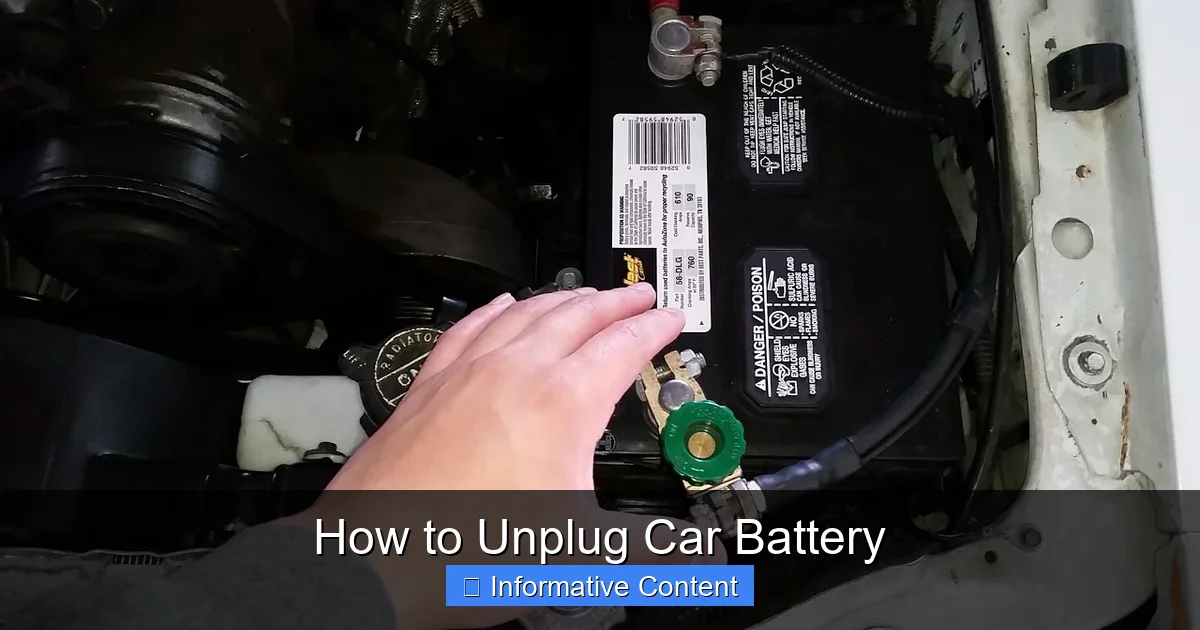
Visual guide about How to Unplug Car Battery
Image source: i.ytimg.com
Wear Protective Gear
- Safety Glasses or Goggles: Battery acid can splash, and sparks can fly. Eye protection is non-negotiable to prevent serious injury.
- Gloves: Heavy-duty work gloves (latex or nitrile gloves aren’t sufficient) will protect your hands from battery acid, dirt, and potential electrical burns.
Ensure Proper Ventilation
Car batteries can emit hydrogen gas, which is highly flammable and explosive. Always work in a well-ventilated area, preferably outdoors. If you’re in a garage, open the garage door and any windows to allow fresh air to circulate. Never smoke or use open flames near a car battery.
Turn Off the Engine and Remove the Key
This might seem obvious, but it’s crucial. Ensure your car’s engine is completely off, the ignition is turned off, and the key is removed from the ignition (or placed far away from a push-start vehicle). This prevents any accidental power surges or activation of electrical components while you’re working on how to unplug car battery.
Locate Your Battery and Identify Terminals
Most car batteries are located under the hood, but some vehicles (especially newer models or those with better weight distribution) might have them in the trunk, under the rear seat, or even in the fender well. Once you find it, identify the positive (+) and negative (-) terminals. The positive terminal is usually marked with a plus sign and often has a red cover or cable. The negative terminal is marked with a minus sign and typically has a black cover or cable. Knowing these is key to successfully disconnecting car battery.
Avoid Metal Contact
Never allow your wrench or any metal tool to touch both battery terminals at the same time, or to touch the positive terminal and any metal part of the car’s frame (which is grounded). This will create a direct short circuit, causing sparks, potential battery explosion, and serious electrical damage to your vehicle or injury to yourself. Be extra careful when learning how to unplug car battery.
Gathering Your Tools: What You’ll Need
Having the right tools on hand before you start will make the process of how to unplug car battery much smoother and safer. Most of these are standard items found in any basic toolkit.
- Wrench Set: You’ll typically need a wrench (usually a 10mm or 13mm open-end or ratcheting wrench) to loosen the nuts on the battery terminals. A combination wrench is often ideal.
- Battery Terminal Brush: This handy tool helps clean corrosion off the battery posts and cable clamps, ensuring good electrical contact when you reconnect.
- Rag or Shop Towel: Useful for wiping away dirt, grime, or any spilled battery acid.
- Battery Terminal Puller (Optional): Sometimes, battery terminals can be incredibly stubborn and corroded, making them hard to remove. A battery terminal puller can make this job much easier without damaging the terminals.
- Battery Post Cleaner/Protector (Optional): These sprays or felt washers can help prevent corrosion from forming on your battery terminals in the future.
- Memory Saver (Optional but Recommended): Disconnecting car battery can sometimes cause your car’s computer to lose certain settings, like radio presets, clock time, or even engine idle learning. A memory saver plugs into your car’s OBD-II port or cigarette lighter and provides a temporary power source to retain these settings.
- Baking Soda and Water Mixture: If you encounter battery acid corrosion, a paste of baking soda and water can neutralize it.
Step-by-Step Guide: How to Unplug Car Battery Safely
Okay, you’re geared up, your car is off, and you’re ready to learn the exact steps for how to unplug car battery. Follow these instructions carefully to ensure a safe and effective disconnection.
Step 1: Park and Prepare Your Vehicle
Park your car on a level surface, engage the parking brake, turn off the engine, and remove the key. Open the hood (or locate your battery if it’s elsewhere) and prop it securely. Ensure all accessories (radio, lights) are off.
Step 2: Locate the Battery and Identify Terminals
Find your car battery. As mentioned, the positive terminal will have a (+) sign and often a red cover or cable, while the negative terminal will have a (-) sign and a black cover or cable. It’s crucial to identify these correctly before you try to unplug car battery.
Step 3: Disconnect the Negative Terminal FIRST
This is the most critical step for safety. Using your wrench, loosen the nut on the clamp of the negative (-) battery terminal. You don’t need to remove the nut entirely, just loosen it enough for the clamp to slide off the battery post. Once loose, carefully twist and pull the negative cable clamp straight up and off the battery post. Move this cable away from the battery and ensure it cannot accidentally swing back and touch the negative post or any metal part of the car. You can tuck it behind another component or wrap it in a rag for extra security. This action immediately cuts the ground circuit, preventing accidental short circuits if your wrench were to touch a grounded part of the car while working on the positive terminal.
Step 4: Disconnect the Positive Terminal SECOND
Now that the negative cable is safely out of the way, you can proceed with the positive terminal. Loosen the nut on the clamp of the positive (+) battery terminal with your wrench. Again, just enough for the clamp to slide freely. Carefully remove the positive cable clamp from the battery post. Move this cable away from the battery, ensuring it also cannot accidentally touch any metal part of the car. Some people cover the positive terminal or cable end with a non-conductive cap or rag for added peace of mind after they disconnect car battery.
Step 5: Remove the Battery Hold-Down Clamp (If Necessary)
Most car batteries are secured in place by a hold-down clamp or strap at their base or top. You’ll need to loosen or remove this clamp to free the battery. This often involves unbolting a clamp or releasing a strap. This step is necessary if you plan on physically removing car battery from its tray, not just disconnecting it.
Step 6: Carefully Remove the Battery (If Replacing)
If you’re replacing the battery, you can now carefully lift the old battery out of its tray. Remember, car batteries are heavy! Use proper lifting techniques and bend with your knees to avoid back injury. Be mindful not to tilt the battery excessively, as acid can spill. Place it on a stable surface, away from anything flammable.
Reconnecting Your Car Battery: The Reverse Process
Once your task is complete – whether it’s maintenance, cleaning, or installing a new battery – you’ll need to reconnect everything. The process for connecting the car battery is essentially the reverse of disconnecting, but with one critical difference in the terminal order. This is just as important as knowing how to unplug car battery.
Step 1: Clean Battery Tray and Terminals
Before placing a new battery or reconnecting an old one, take a moment to clean the battery tray and the battery terminals. Use your battery terminal brush to remove any corrosion or dirt from both the battery posts and the inside of the cable clamps. If you see white or blue powdery corrosion, you can neutralize it with a baking soda and water paste, scrub it off, and then rinse thoroughly with clean water (being careful not to get water into the battery cells). A clean connection ensures optimal electrical flow.
Step 2: Place and Secure the Battery (If Removed)
If you removed the battery, carefully place it back into its tray. Ensure it sits flat and is properly aligned. Reinstall and tighten the battery hold-down clamp or strap to secure the battery firmly in place. A loose battery can bounce around, causing damage or short circuits.
Step 3: Connect the Positive Terminal FIRST
Now for the critical step: connect the positive (+) cable clamp to the positive (+) battery post FIRST. Slide the red cable clamp onto the positive post and tighten the nut securely with your wrench. Make sure it’s snug, but don’t overtighten, as this can strip the threads or crack the battery terminal. Give it a gentle tug to ensure it’s firmly in place. This order minimizes the risk of sparks.
Step 4: Connect the Negative Terminal SECOND
Finally, connect the negative (-) cable clamp to the negative (-) battery post. Slide the black cable clamp onto the negative post and tighten the nut securely. Again, make it snug but not overly tight. You might see a small spark as you make this connection – that’s normal as the car’s electrical system receives power again. Ensure this connection is also firm by giving it a gentle tug.
Step 5: Double-Check All Connections and Close Up
Take a moment to visually inspect both connections. Are they tight? Are the cables routed correctly? Is the battery hold-down secure? If you used any anti-corrosion spray or felt washers, apply them now. Close the hood, remove all tools, and you’re ready to go! You’ve successfully learned how to unplug car battery and reconnect it.
Post-Disconnection and Reconnection Tips & Troubleshooting
After you’ve successfully reconnected your car battery, you might notice a few things. Here are some common post-reconnection scenarios and tips.
Resetting Electronics
As mentioned, some electronic settings might be lost. You might need to:
- Reset the clock: Most cars will require you to manually set the time again.
- Reprogram radio presets: Your favorite radio stations might need to be re-entered.
- Relearn window functions: Some power windows need to be “re-learned” by holding the switch down until the window is fully open, then holding it up until fully closed. Check your owner’s manual for specific instructions.
- Engine Idle Relearning: Your car’s engine computer (ECU) might need to re-learn its idle parameters. This usually happens automatically as you drive, but sometimes a rough idle might be noticeable for the first few minutes or miles.
Troubleshooting No Start or Electrical Issues
If your car doesn’t start or you experience electrical issues after reconnecting the car battery, here’s what to check:
- Loose Connections: The most common culprit. Double-check that both positive and negative terminals are tightened securely.
- Corrosion: Even if you cleaned them, sometimes residual corrosion can impede current flow. Re-clean the terminals and clamps thoroughly.
- Battery Charge: Is the battery actually charged? If it was old or sat for a long time, it might need a jump start or a full charge.
- Fuses: While less common, a fuse might have blown during the process, especially if there was an accidental short. Check your fuse box.
If problems persist, it’s always best to consult a professional mechanic. They have the diagnostic tools to pinpoint more complex electrical issues.
Conclusion
There you have it! Learning how to unplug car battery isn’t a dark art reserved for mechanics; it’s a straightforward, logical process that anyone can perform safely with the right knowledge and precautions. By following these steps – prioritizing safety, gathering the correct tools, disconnecting the negative terminal first, and reconnecting the positive terminal first – you’re well-equipped to handle various car maintenance tasks with confidence.
Remember, practice makes perfect, but when it comes to your car’s electrical system, careful attention to detail is paramount. Don’t rush, double-check your work, and always refer to your vehicle’s owner’s manual for any specific instructions related to your make and model. Now, go forth and confidently tackle those car projects, knowing you have the skills to safely disconnect car battery whenever needed!
🎥 Related Video: How to Disconnect and Reconnect the Car Battery
📺 FIX MY CAR
Thank You for your Donation: https://www.paypal.com/donate/?hosted_button_id=TQ2UTNS5WDC46 SUBSCRIBE So We Can …
Frequently Asked Questions
What causes corrosion on battery terminals?
Battery terminal corrosion is typically caused by hydrogen gas escaping from the battery and reacting with the metal terminals and surrounding air. This reaction creates a white or bluish powdery substance, which is usually lead sulfate. It’s more common in older batteries or those that are overcharged.
How long should I leave my car battery unplugged to reset the computer?
To ensure a full reset of your car’s computer (ECU), it’s generally recommended to leave the battery unplugged for at least 15 to 30 minutes. This allows enough time for the residual power in the system to dissipate completely, clearing any stored error codes or learned parameters.
Can I unplug car battery if the engine is running?
Absolutely not! Unplugging the car battery while the engine is running is extremely dangerous and can cause severe damage to your car’s alternator, voltage regulator, and other sensitive electronic components due to sudden voltage spikes. Always ensure the engine is completely off before attempting to unplug car battery.
Is it safe to touch battery acid if I accidentally spill some?
No, battery acid is highly corrosive and can cause severe chemical burns. If you accidentally spill battery acid, immediately neutralize it with a baking soda and water paste, then rinse the area thoroughly with clean water. Always wear protective gloves and eye protection when working with batteries.
What should I do with an old car battery I’ve removed?
Old car batteries contain hazardous materials like lead and sulfuric acid, so they should never be thrown in the regular trash. You must dispose of them properly by taking them to an automotive parts store, a recycling center, or a certified hazardous waste facility. Most places that sell new batteries will also accept your old one for recycling.
Do I need a special wrench to unplug my car battery?
While you don’t typically need a “special” wrench, you will need the correct size, which is usually a 10mm or 13mm open-end or combination wrench for most modern car batteries. Some older or specific models might use a different size, so it’s good to have a small set or check your owner’s manual.