Safely disconnecting your car battery is a crucial skill for maintenance, repairs, or storage. This guide walks you through every step, from gathering essential tools and understanding vital safety precautions to the precise order of disconnecting terminals (always negative first!). Follow these instructions carefully to protect yourself and your vehicle from electrical hazards and damage.
Ever found yourself needing to work on your car, store it for a while, or maybe even swap out a dying battery? If so, knowing car battery how to disconnect safely and correctly isn’t just a good skill to have—it’s absolutely essential. Disconnecting your car battery might seem like a simple task, but doing it wrong can lead to serious hazards, from electrical shocks and damaging your car’s sensitive electronics to even causing a battery explosion. Yikes!
But don’t worry! You don’t need to be a seasoned mechanic to tackle this job. With the right information, a few basic tools, and a healthy respect for electrical components, you can confidently disconnect your car battery. Think of this as your friendly, step-by-step guide to mastering this fundamental piece of car maintenance. We’ll cover why you might need to do it, the crucial safety precautions, what tools you’ll need, and walk you through every single step to ensure you do it right.
Key Takeaways
- Safety First: Always prioritize safety by wearing protective gear like gloves and eye protection, and ensure your workspace is well-ventilated and free from sparks or open flames.
- Gather the Right Tools: You’ll need basic tools like a wrench (usually 10mm or 13mm), a battery terminal cleaner, and potentially a battery post puller for stubborn terminals.
- Disconnect Negative Terminal FIRST: This is the golden rule! Always disconnect the negative (black, -) terminal first to prevent accidental short circuits and protect your vehicle’s electrical system.
- Then Disconnect Positive Terminal: After the negative, proceed to disconnect the positive (red, +) terminal. Ensure both cables are secured away from the battery to prevent them from accidentally re-contacting the posts.
- Consider a Memory Saver: For modern vehicles, using a memory saver can prevent the loss of electronic settings like radio presets, clock, and engine computer data.
- Reconnection Order is Opposite: When reconnecting the battery, always connect the positive terminal first, then the negative terminal, and finally secure the hold-down clamp.
- Practice Makes Perfect: While the process might seem daunting initially, following these clear steps will build your confidence for future battery maintenance tasks.
Quick Answers to Common Questions
What is the very first step when disconnecting a car battery?
The very first step is to prioritize safety: wear protective gear like safety glasses and gloves, and ensure your vehicle is parked on a level surface with the engine off and key removed.
Which battery terminal should always be disconnected first?
You should always disconnect the negative (-) battery terminal first. This prevents accidental short circuits and protects your car’s electrical system.
Why is it important to disconnect the negative terminal first?
Disconnecting the negative terminal first breaks the car’s ground circuit. This means if your wrench accidentally touches the positive terminal and any metal part of the car, it won’t create a dangerous spark or short circuit.
What tools are essential for disconnecting a car battery?
Essential tools include safety glasses, gloves, and a wrench (typically 10mm or 13mm) to loosen the terminal clamps.
What should I do with the disconnected cables?
Once disconnected, secure both the negative and positive cables away from the battery posts and any metal components in the engine bay to prevent them from accidentally re-contacting the battery or shorting out.
📑 Table of Contents
Why You Might Need to Disconnect Your Car Battery
There are several common scenarios where knowing car battery how to disconnect becomes incredibly useful. It’s not just for when your battery dies; it’s a safety measure and a maintenance necessity.
Routine Maintenance and Repairs
Working on your car’s electrical system, whether it’s replacing a headlight, installing a new stereo, or performing any task that involves wiring, always requires disconnecting the battery. This eliminates the risk of accidental shocks or short circuits, which could damage components or even injure you. It’s the equivalent of turning off the main power switch before working on home wiring.
Storing Your Vehicle
If you plan to store your car for an extended period—say, several weeks or months—disconnecting the battery is a smart move. Even when turned off, your car’s onboard computers, clocks, and alarms draw a small amount of power (known as parasitic drain). Over time, this drain can completely deplete your battery, leaving you with a dead battery when you’re ready to drive again. Disconnecting it preserves the charge.
Resetting Your Car’s Computer
Sometimes, your car’s “check engine” light might come on for a minor, non-critical issue, or perhaps your car’s computer glitches. Disconnecting the battery for 15-30 minutes can often clear the car’s computer memory, effectively performing a “hard reset” and potentially resolving minor electronic issues. Just be aware that this might also reset radio presets and other custom settings.
Replacing the Battery
This is perhaps the most obvious reason. When it’s time for a new battery, you absolutely must know car battery how to disconnect the old one safely before you can install the replacement. This process is integral to a successful battery swap.
Working on Electrical Components
Any time you’re delving into the car’s electrical components, even if it seems minor, disconnecting the battery is a vital safety step. This includes things like replacing a starter, alternator, or even certain sensors. It ensures no power is flowing, preventing sparks, shorts, or accidental activation of electrical systems.
Safety First: Essential Precautions
Before you even think about touching those terminals, let’s talk safety. Batteries contain corrosive acid and produce flammable gases, so proper precautions are non-negotiable. Knowing car battery how to disconnect safely means understanding these risks.
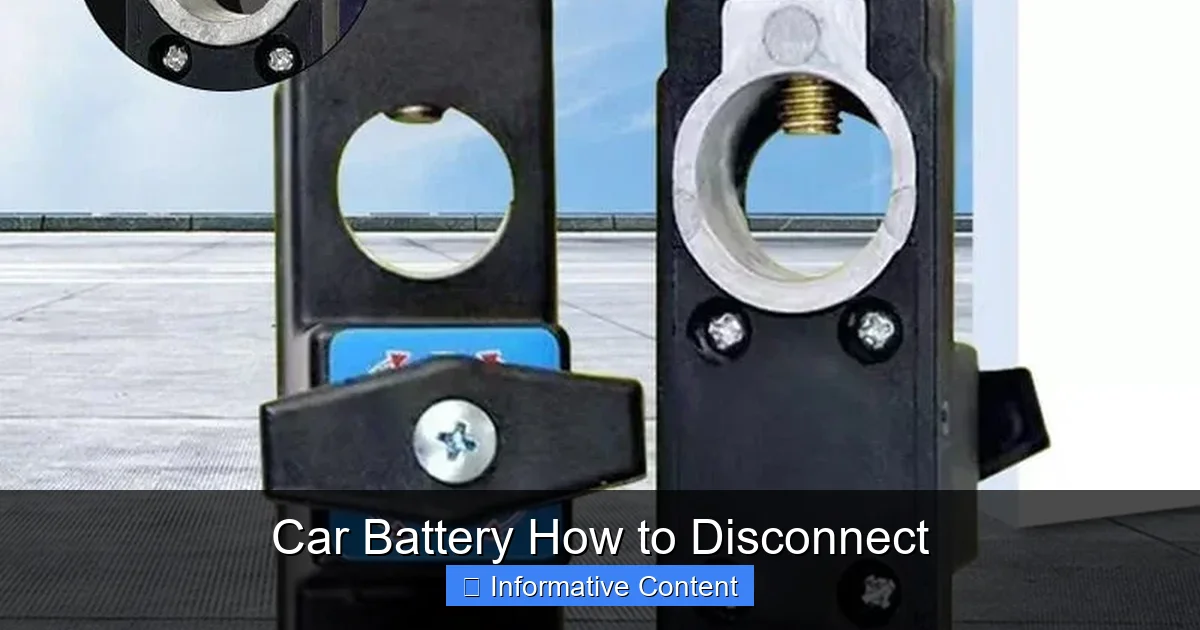
Visual guide about Car Battery How to Disconnect
Image source: starstartree.com
Personal Protective Equipment (PPE)
- Safety Glasses or Goggles: Battery acid can splash, and even a tiny amount in your eyes can cause severe damage. Always wear eye protection.
- Gloves: Heavy-duty rubber gloves protect your hands from battery acid and provide some insulation from electrical current.
- Old Clothes: Battery acid can also eat through fabric, so wear clothes you don’t mind getting stained or damaged.
Working Environment
- Ventilation: Batteries release hydrogen gas, which is highly flammable. Work in a well-ventilated area to prevent gas buildup.
- No Sparks or Open Flames: Absolutely no smoking, open flames, or anything that could create a spark near the battery. This includes tools accidentally brushing against metal.
- Flat, Stable Surface: Park your car on a level surface, engage the parking brake, and turn off the engine and ignition. Remove the key from the ignition to ensure no power is accidentally drawn.
- Keep Metal Away: Remove any metal jewelry, such as rings or bracelets, which could accidentally short the battery terminals.
Understanding Battery Hazards
A car battery can deliver a powerful surge of electricity. Shorting the terminals (touching both with a metal object) can cause a huge spark, extreme heat, and potentially melt tools or even cause the battery to explode. Battery acid is highly corrosive and can cause severe burns to skin and eyes. Hydrogen gas, as mentioned, is explosive when concentrated.
Tools You’ll Need
Having the right tools makes the job much easier and safer. You likely have most of these lying around.
- Wrench Set: Most battery terminals use 10mm or 13mm bolts. An open-end, box-end, or socket wrench will work. An adjustable wrench can be a good backup.
- Battery Terminal Cleaner: This is a small brush designed to clean corrosion from battery posts and cable clamps.
- Wire Brush: A regular wire brush can also help clean corrosion.
- Battery Terminal Puller (Optional but Recommended): If terminals are stuck due to corrosion, this tool can save you a lot of frustration and prevent damage.
- Gloves and Safety Glasses: As discussed, absolutely essential.
- Baking Soda and Water: Keep a mix handy to neutralize any accidental acid spills.
- Memory Saver (Optional): If you want to retain radio presets, clock settings, and engine computer memory, a memory saver (usually plugs into the OBD-II port) is a wise investment.
Step-by-Step Guide: Car Battery How to Disconnect
Now that we’ve covered the crucial safety aspects and gathered our tools, let’s dive into the actual process. Remember, the order is critical!
Step 1: Prepare Your Vehicle and Workspace
Park your car on a flat, level surface. Engage the parking brake. Turn off your car’s engine, lights, radio, and any other accessories. Remove the key from the ignition. Open the hood and locate the battery. Ensure good ventilation in your workspace. Put on your safety glasses and gloves.
Step 2: Locate the Battery and Terminals
Your car battery will have two terminals: a positive (+) terminal and a negative (-) terminal. The positive terminal is usually marked with a plus sign and often has a red cable and/or a red protective cover. The negative terminal is marked with a minus sign and typically has a black cable. Familiarize yourself with these before proceeding. Sometimes, a protective cover might need to be lifted or removed to access the terminals.
Step 3: Disconnect the Negative Terminal FIRST
This is the most critical step and a fundamental rule of car battery safety!
Using your wrench, loosen the nut on the negative (-) battery terminal clamp. You typically only need to loosen it enough for the clamp to slide off the post, not remove the nut entirely. Once loose, carefully twist and pull the negative cable clamp straight up and off the negative battery post. If it’s stuck, a battery terminal puller can help. Once removed, tuck the negative cable away from the battery post and any metal parts of the car. You can wrap it in an old rag or secure it with a bungee cord to ensure it doesn’t accidentally touch the battery post or metal frame again. Disconnecting the negative first prevents accidental short circuits. If your wrench touches the positive terminal and the vehicle’s metal frame (ground) while the negative is still connected, you create a direct short, causing sparks and potential damage. By disconnecting the negative first, you break the circuit, making the system “safe” to work on.
Step 4: Disconnect the Positive Terminal
Now that the negative cable is safely out of the way, you can disconnect the positive (+) terminal. Loosen the nut on the positive terminal clamp with your wrench. Carefully remove the positive cable clamp from the positive battery post. Again, secure this cable away from the battery posts and any metal components of the vehicle. If you used a memory saver, you would typically connect it to the cigarette lighter or OBD-II port *before* disconnecting the battery, and it maintains power through a separate small battery.
Step 5: Secure the Cables
Ensure both the negative and positive cables are completely clear of the battery posts and any other metal in the engine bay. They should not be able to accidentally swing back and touch anything conductive. This step is vital to ensure that your knowledge of car battery how to disconnect is applied safely and effectively.
Step 6: Removing the Battery Hold-Down Clamp (if applicable)
Many batteries are secured in place by a hold-down clamp, bracket, or strap. Locate this mechanism and loosen or remove it. This might involve another wrench size or even a screwdriver. This clamp prevents the battery from moving around, especially during driving.
Step 7: Safely Remove the Battery
With both terminals disconnected and the hold-down clamp removed, you can now carefully lift the battery out of its tray. Car batteries are heavy, so lift with your legs, not your back. Be mindful not to tilt the battery too much, as acid can spill. Place it on a stable, non-conductive surface, away from anything flammable.
What About Memory Savers? (Optional but Recommended)
Modern cars are packed with electronics. Disconnecting the battery completely can cause you to lose radio presets, clock settings, power window auto-up/down memory, and even some engine computer learned parameters. This is where a memory saver comes in handy.
Why Use a Memory Saver?
A memory saver provides a small, temporary power source to your car’s electrical system, keeping those volatile memories alive while the main battery is disconnected. It’s often powered by 9V batteries or plugs into another car’s cigarette lighter.
How to Use a Memory Saver
Most memory savers plug into your car’s OBD-II port (usually located under the dash on the driver’s side). You would plug it in *before* you start the battery disconnection process. Some older versions might clip onto the cigarette lighter port. Follow the specific instructions for your memory saver. Once connected and providing power, you can proceed with the normal disconnection steps, and your settings should remain intact.
Reconnecting Your Car Battery (Briefly)
When you’re ready to reconnect your battery, the process is essentially the reverse of disconnecting, but with one critical change in order:
Connecting the Positive Terminal FIRST
Clean the battery posts and cable clamps with your battery terminal cleaner and wire brush. Position the battery firmly in its tray. Reconnect the positive (+) cable clamp to the positive battery post. Tighten the nut securely with your wrench. Apply a thin layer of anti-corrosion grease or use battery post protectors to prevent future corrosion.
Connecting the Negative Terminal
Next, reconnect the negative (-) cable clamp to the negative battery post. Tighten the nut securely. Apply anti-corrosion grease or protectors. Ensure both terminals are tight and secure, but don’t overtighten, as this can damage the battery posts or clamps.
Secure and Test
Reattach the battery hold-down clamp or strap firmly. Close the hood. Start your car to ensure everything is working correctly. Check your radio presets, clock, and any other electronic settings. If you used a memory saver, remove it now.
Conclusion
Learning car battery how to disconnect is a foundational skill for any car owner. By following these detailed steps and, most importantly, prioritizing safety, you can confidently perform battery maintenance, conduct electrical repairs, or prepare your vehicle for storage without fear. Remember the golden rule: negative terminal off first, positive terminal on first. With practice, this process will become second nature, empowering you to handle more of your car’s needs yourself. Stay safe, stay confident, and keep those wheels turning!
🎥 Related Video: How to Disconnect and Reconnect the Car Battery
📺 FIX MY CAR
Thank You for your Donation: https://www.paypal.com/donate/?hosted_button_id=TQ2UTNS5WDC46 SUBSCRIBE So We Can …
Frequently Asked Questions
What happens if I disconnect the positive terminal first?
If you disconnect the positive terminal first, and your wrench accidentally touches the negative terminal (or any grounded metal part of the car), it can create a direct short circuit. This can lead to severe sparks, damage to your tools, the battery, or even cause a battery explosion due to the rapid discharge.
Will disconnecting the battery reset everything in my car?
Disconnecting the battery will likely reset your car’s clock, radio presets, and possibly some power window or seat memory functions. It will also clear the car’s onboard computer (ECU) memory, which might erase “check engine” codes and learned driving parameters, requiring the car to “relearn” some settings.
How long should I leave the battery disconnected to reset the car’s computer?
To ensure a full reset of the car’s computer, it’s generally recommended to leave the battery disconnected for at least 15 to 30 minutes. This allows any residual electrical charge in the system to dissipate completely, ensuring a clean reset.
Can I get shocked while disconnecting a car battery?
While the voltage (12V) isn’t high enough to cause a fatal shock, you can experience a painful electrical jolt if you accidentally short the terminals. The primary dangers are sparks, burns from short circuits, or contact with corrosive battery acid, which is why safety precautions are so important.
What is corrosion on battery terminals and how do I clean it?
Corrosion on battery terminals often appears as a fuzzy, white, blue, or green substance. It’s caused by a chemical reaction between the battery’s lead terminals and the acidic fumes it releases. To clean it, you can use a battery terminal cleaner brush or a mixture of baking soda and water to neutralize the acid, followed by scrubbing with a wire brush.
Is it okay to use an adjustable wrench to disconnect battery terminals?
Yes, an adjustable wrench can be used, but it’s generally less ideal than a proper box-end or socket wrench. Adjustable wrenches are more prone to slipping, which could strip the bolt head or cause you to accidentally short the terminals. Always ensure it’s tightly gripped to the nut.